Audio & Video Display Guide

Panasonic TV Service Center in India

Looking for Panasonic TV repair near you or a Panasonic TV service center in India? You are in the right place to understand common television display problems, blinking red LED codes, backlight replacement options, spare parts costs, and service steps. Share your model number and describe the problem to get guidance on the next steps.

Whether your Panasonic television has sound but a pitch black screen, the red standby indicator is blinking in repetitive sequences, the TV is stuck on the boot logo, or the unit has lost power completely, this guide helps you check the issue before booking an inspection visit.
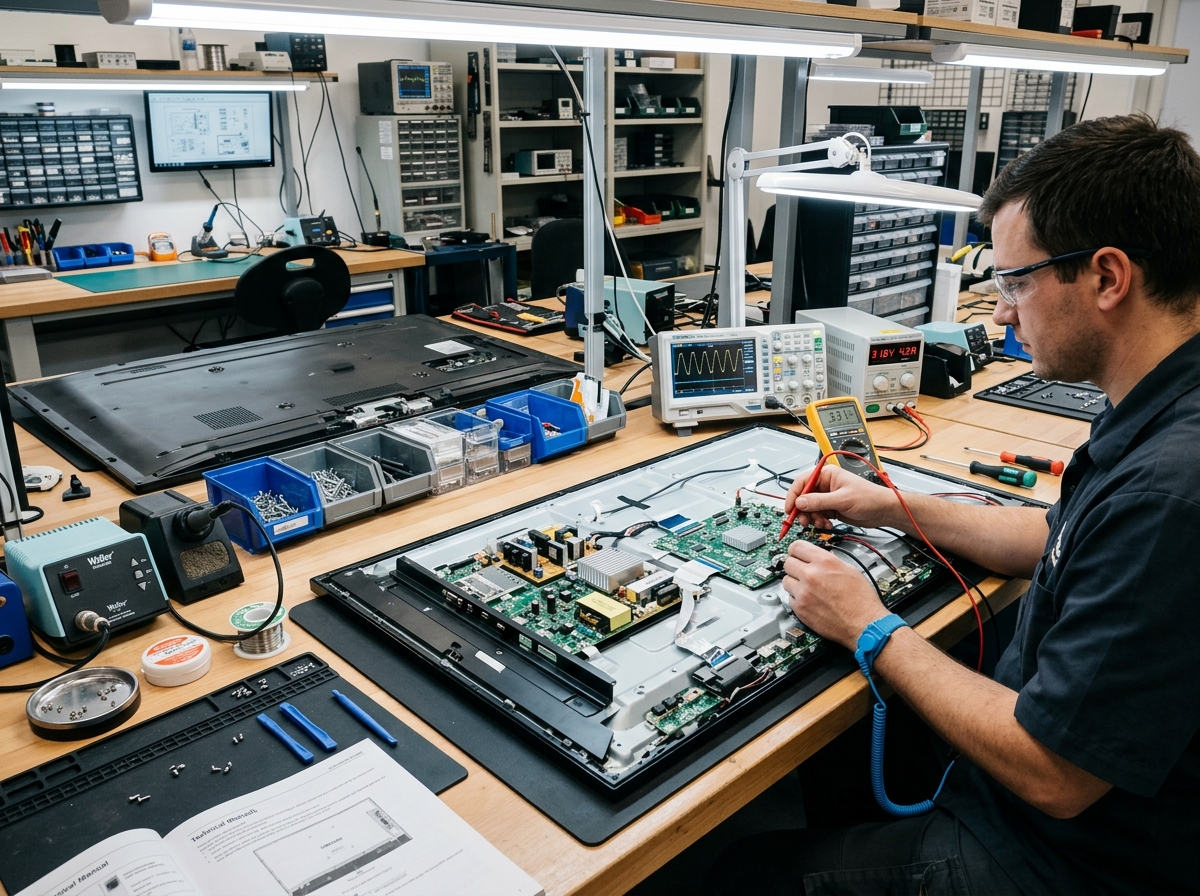
LED television display panel and circuit board testing on an electronics workbench

Panasonic Television Models and Display Technologies

From classic Panasonic Viera LCD screens to modern 4K HDR Smart Android televisions, repairing modern displays requires understanding the internal board architecture:

SMPS Power Supply Board

Converts 230V AC mains into regulated low-voltage DC rails (5V Standby, 12V Audio/Main, and 24V–100V+ high-voltage LED backlight driver boost).

Main Motherboard & Processor

Handles HDMI audio-video processing, tuner signals, Wi-Fi connectivity, sound amplification, and smart Android TV software operations.

T-CON (Timing Controller) Board

Translates video signals from the motherboard into horizontal and vertical column driver signals for the open-cell liquid crystal glass display.

LED Backlight Strips Array

Illuminates the liquid crystal display using rows of high-efficiency 3V or 6V LED beads mounted on aluminium heat-sink strips behind the diffuser sheets.

Standard & Full HD Displays

Panasonic LED & LCD TV Service Center in India

Panasonic Full HD and HD Ready LED televisions (popular 32-inch and 40-inch models like TH-32ES500D, TH-32F201DX, and TH-40D400D) rely on direct-lit LED arrays, dedicated SMPS power boards, and separate T-CON logic modules.

Common LED & LCD Faults

Sound is clearly audible but screen stays pitch black; dark shadowy patches or blue/purple tint on white backgrounds; television will not turn on from remote or side button; screen flickers on startup.

Possible Causes

One or more burnt LED backlight beads breaking the series illumination circuit, swollen filter capacitors on the SMPS power supply board, or oxidised LVDS ribbon cable connections.

Repair & Replacement Options

Replacing the entire matched set of aluminium-backed LED backlight strips completely restores screen brightness. Power board component-level soldering cures dead power issues affordably.

Key Spare Parts & Estimated Prices for LED & LCD Models

  • LED Backlight Strips (Full 32"–40" Set): ₹1,200 – ₹2,400 (Restores screen brightness uniformly)
  • SMPS Power Supply Board Repair: ₹700 – ₹1,500 (Fixes blown fuses, capacitors & dead power)
  • T-CON Board Replacement: ₹950 – ₹1,900 (Fixes solarized colors or white display)
  • LVDS Ribbon Cables: ₹350 – ₹750 (Resolves horizontal lines and signal noise)

Have a dark screen or power problem on your Panasonic LED TV? Discuss repair options with a technician.

Ultra HD & Smart OS

Panasonic 4K Smart & Android TV Service Center in India

Panasonic 4K Ultra HD Smart and Android televisions (43-inch, 55-inch, and 65-inch models like TH-43GX650D, TH-55HX700D, and TH-65JX800D) combine high-density 4K backlight arrays, multi-core processing mainboards, Wi-Fi/Bluetooth modules, and high-wattage stereo speakers.

Common 4K Smart Faults

TV stuck on Panasonic or Android boot logo indefinitely; Wi-Fi disconnecting frequently; HDMI ports not detecting setup box or console; audio working but 4K screen remains dark; apps crashing.

Possible Causes

Corrupted eMMC flash memory partitions, high-voltage surges damaging HDMI controller ICs, high-output 6V LED backlight failure, or software update interrupted by power cuts.

Repair & Replacement Options

Hardware firmware re-flashing using dedicated programmers, motherboard chip-level repair, 4K backlight array replacement, and Wi-Fi receiver module replacement.

Key Spare Parts & Estimated Prices for 4K Smart Models

  • 4K LED Backlight Array (43"–55" Set): ₹1,800 – ₹3,200 (Aluminium core strips with optical lenses)
  • Main Motherboard Repair / Re-flashing: ₹800 – ₹2,400 (Fixes boot loop & firmware crashes)
  • Complete Smart Mainboard Replacement: ₹2,800 – ₹5,800 (When processor IC is permanently shorted)
  • Internal Acoustic Speakers Set: ₹550 – ₹1,300 (Restores clear, buzz-free audio output)

Experiencing boot loop or HDMI issues on your 4K Smart TV? Contact our service desk for assistance.

Classic Series

Panasonic Viera Legacy Television Repair Information

Panasonic Viera series televisions were renowned for exceptional build quality and color science. Many of these reliable units remain in active service across Indian households. They feature built-in self-diagnostic circuits that blink the red standby LED in specific counts to pinpoint internal circuit faults.

Common Viera Faults

Red standby light blinks in continuous repetitive patterns (e.g., 1 blink, 3 blinks, 7 blinks, 10 blinks) followed by a 3-second pause; TV clicks and shuts off after 2 seconds; distorted picture colors.

Possible Causes

Power supply sub-voltage rail drops, inverter/backlight over-current protection trip, audio circuit short-circuit, or dried-out electrolytic capacitors in the primary regulation stage.

Repair & Replacement Options

Decoding the blink code enables technicians to target the exact sub-circuit. Capacitor overhauls and power supply re-soldering frequently restore legacy Viera televisions to full working order.

Key Spare Parts & Estimated Prices for Viera Televisions

  • Viera Power Supply Board Overhaul: ₹850 – ₹1,800 (Capacitor replacement and voltage regulation fix)
  • Inverter Board / Backlight Driver: ₹950 – ₹2,100 (Resolves 1-blink and 4-blink shutdown codes)
  • Logic / Main Processing Board Repair: ₹1,200 – ₹2,600 (Resolves 10-blink microcomputer communication faults)
  • Audio Amplifier Circuit Refurbishment: ₹650 – ₹1,400 (Resolves 3-blink audio rail trip)

Have a blinking red light on your Panasonic Viera TV? Share the blink count with our technician.

Common Panasonic Television Problems & Diagnostics

Here are the most frequent television defects diagnosed on service workbenches across India, their causes, and next steps:

1. Sound Working, but Screen is Pitch Black

Audio plays normally and channels change, but the screen stays completely dark. Shining a mobile flashlight closely against the glass reveals faint ghosts of moving pictures. Confirms burnt LED backlight strips requiring replacement.

2. Red Standby Light Blinking Repeatedly

The TV will not turn on and the red indicator LED blinks in repetitive counts (such as 1 blink, 3 blinks, or 10 blinks) separated by a 3-second pause. This diagnostic code isolates the faulty board.

3. Dead TV / No Power Indication

No red or green standby light glows. Usually caused by high-voltage lightning or mains surges blowing the power supply fuse, bridge rectifier, or standby PWM controller chip.

4. Horizontal / Vertical Lines Across Screen

Colored lines running across the screen or a jittery double picture. Commonly caused by a failing T-CON board, loose ribbon cables, or liquid cleaning spray seeping into bottom COF bonding tabs.

5. Stuck on Panasonic or Android Boot Logo

The TV powers on but stays frozen on the startup logo. Caused by corrupted eMMC flash memory partitions requiring firmware re-flashing using an external programmer.

6. Distorted Sound or Crackling Speakers

Audio is muffled, vibrating, or completely absent. Caused by torn paper cone speaker diaphragms or a failing audio amplifier chip on the mainboard.

Estimated Panasonic TV Spare Parts & Repair Costs

Below is an estimated price range for commonly repaired television components in India. Costs vary by screen diagonal size (32", 43", 55", 65"), model generation, and whether component-level repair is possible.

Spare part Common reason for replacement Estimated part price Labour or installation
LED Backlight Strips (Full Matched Set) Sound working but screen pitch black (flashlight test positive) ₹1,200 – ₹2,800 ₹600 – ₹950
SMPS Power Supply Board Completely dead; no standby red light; blown mains fuse or surge ₹1,400 – ₹3,600 ₹450 – ₹700
Main Motherboard / Smart Board Blinking red LED; HDMI ports dead; Wi-Fi failure; boot loop freeze ₹2,200 – ₹5,800 ₹500 – ₹850
T-CON (Timing Controller) Board White screen; negative colors; horizontal lines or bars ₹950 – ₹2,200 ₹450 – ₹650
Firmware Re-flashing & eMMC Programming Stuck on Panasonic or Android startup logo; software crash ₹800 – ₹1,600 Full software service included
Internal Acoustic Speaker Set (Left & Right) Distorted sound; jarring chassis vibration; muffled or no audio ₹450 – ₹1,100 ₹350 – ₹500
LVDS / FFC Ribbon Cable Set Solarized colors; intermittent flicker when TV warms up ₹350 – ₹750 ₹300 – ₹450
Display COF Tab Bonding (Machine Bonded) Single solid vertical line; half screen dark due to moisture ₹2,500 – ₹6,500 Specialized machine bonding service
Replacement Remote Control Unit Buttons worn; liquid spill damage; remote not transmitting ₹350 – ₹850 Free pairing check
Initial Safety Inspection / Diagnosis Visit Backlight tester check, SMPS voltage measurement, and estimate ₹250 – ₹450 Adjusted if repair work is approved

*Pricing Note: The figures above are estimated market price ranges. Display panels with physical glass cracks or internal fractures are not economically repairable. Exact quotes depend on your screen size, model code, and technician inspection findings. An itemized estimate is provided before repairs begin.

Repair vs Replacement: Practical Advice for Television Owners

Knowing when to approve a repair versus considering a replacement helps protect your budget:

High-Value Repairs

Faults involving burnt LED backlights, power supply capacitors, HDMI ports, speakers, or corrupted software are highly cost-effective to repair. Spending ₹1,500 to ₹3,500 restores a high-end 43" or 55" TV to perfect functioning for years to come.

When Replacement is Advisable

If the liquid crystal glass panel is physically cracked or internally fractured due to an accidental impact, the cost of a replacement panel from the manufacturer typically represents 70% to 80% of the price of a brand-new television. In such cases, purchasing a new TV is the sensible choice.

Why Model Verification Matters

Backlight strip voltage (3V vs 6V), lens angle, and ribbon connector pin count vary widely across Panasonic models. Sharing your model number (e.g., TH-43GX650D, TH-32ES500D) helps technicians verify parts in advance.

Why Choose Our Independent Television Service

We prioritize technical precision, component-level board repairs, and clear communication:

Precision Diagnostics

We test backlight voltages, SMPS DC rails, and motherboard boot signals rather than guessing.

Component-Level Options

We attempt soldering repairs on power supplies and motherboards before suggesting costly board swaps.

Prior Cost Estimates

You receive a clear breakdown of estimated parts and labour before any repair work starts.

Model-Specific Matching

We confirm lens angles, strip voltages, and firmware versions against your exact model number.

Our 4-Step Repair Process

How your television repair request is handled from first enquiry to resolution.

1

Contact Us

Call or WhatsApp with your TV’s symptom (e.g. sound but no picture, red light blinking) and your city.

2

Share Model Details

Share the model number from the rear cabinet plate so screen size and backlight parts can be checked.

3

Inspection Visit

Subject to availability in your area, an experienced technician tests voltages and backlight strips.

4

Approve & Repair

Review the transparent price estimate. Following your approval, the repair is completed and tested.

Frequently Asked Questions About Panasonic TV Repair

Real customer queries answered regarding display problems, blinking lights, screen damage, and repair costs.

Panasonic TV Service Locations in India

Find independent Panasonic tv repair guidance in your city.

Looking for Panasonic appliance repair in your area? Explore our dedicated multi-city guides or contact our service coordination desk via phone or WhatsApp to check technician availability, schedule a diagnosis visit, and understand estimated spare parts costs.

Panasonic TV Service Center in Tenkasi

Doorstep repair guidance for Panasonic tv models across Tenkasi localities with transparent parts pricing.

Panasonic TV Service Center in Madurai

Doorstep repair guidance for Panasonic tv models across Madurai localities with transparent parts pricing.

Panasonic TV Service Center in Nagercoil

Doorstep repair guidance for Panasonic tv models across Nagercoil localities with transparent parts pricing.

Panasonic TV Service Center in Kanyakumari

Doorstep repair guidance for Panasonic tv models across Kanyakumari localities with transparent parts pricing.

Panasonic TV Service Center in Kumbakonam

Doorstep repair guidance for Panasonic tv models across Kumbakonam localities with transparent parts pricing.

Panasonic TV Service Center in Pune

Doorstep repair guidance for Panasonic tv models across Pune localities with transparent parts pricing.

Panasonic TV Service Center in Pimpri-Chinchwad

Doorstep repair guidance for Panasonic tv models across Pimpri-Chinchwad localities with transparent parts pricing.

Explore Other Panasonic Appliance Service Guides

Need support or cost estimates for other household appliances? Browse our dedicated category guides:

Washing Machine Guide

Top-load and front-load error codes, drainage issues, and drum motor repairs.

Refrigerator Guide

Cooling faults, defrost issues, thermostat and inverter compressor diagnostics.

Air Conditioner Guide

Split AC cooling troubles, gas leaks, sensor faults, and blower maintenance.

Microwave Guide

Heating faults, magnetron costs, turntable issues, and H97/H98 error codes.

Request Television Inspection

Speak directly with our service desk to inquire about local technician availability or to discuss your television display issue.

Call: +91 88820 55269 Chat on WhatsApp

Support Desk Working Hours: Morning 7:00 AM to Night 9:00 PM (Monday to Sunday, All 7 Days)

WhatsApp Call Now